
Reliable recurring automation
Cron Job Scheduling & Monitoring Software
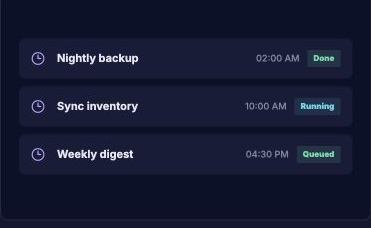
CronJob is web-based scheduling and monitoring software for recurring HTTP tasks, webhooks, exports, backups, and integrations. Teams set an interval and timezone, attach required headers, define success and retry rules, then review execution history and receive alerts when an automated job fails.
- Schedule recurring HTTP requests and webhook jobs.
- Set timezone, headers, success rules, and retries.
- Review execution logs and failure alerts.
Functional overview
What is CronJob, and what does it do?
CronJob stores each schedule in the account timezone, dispatches the configured HTTP or webhook task, records the response and applies retry or alert rules. The result is a visible history of what ran, when it ran and whether it completed successfully.
- Create a secured task endpoint
- Choose the schedule and timezone
- Define success and retry rules
- Dispatch the task automatically
- Review logs and alerts
Operating model
How does CronJob work?
Scheduling, execution history and failure handling are separated from the business system being triggered, making recurring work easier to manage.
Set the schedule
Choose the frequency, timezone, endpoint and request settings for the recurring task.
Dispatch securely
Send the configured request with the required headers while protecting sensitive credentials.
Track and recover
Record status, response time and failures, then retry or alert based on the job policy.
Business impact
What problems does CronJob solve?
CronJob reduces manual routines while preserving the execution history operations teams need for accountability.
24/7
Run outside office hours
Trigger backups, exports, synchronizations and reminders on the schedule the process requires.
Logged
Know what happened
Replace silent server tasks with a searchable record of starts, outcomes and response times.
Retry
Recover from transient failure
Use controlled retry behavior instead of waiting for someone to discover a missed task.
Why teams choose it
Why do teams choose CronJob?
- Account-level timezone scheduling
- HTTP methods, custom headers and status rules
- Execution history with response timing
- Failure alerts and retry controls
Must-haves
What do you need to start using CronJob?
- An active BrandNova membership
- A secured URL, webhook or API endpoint to trigger
- The desired schedule and account timezone
- Clear success criteria and an alert destination
Built for real operations
Who is CronJob for?
Any predictable task exposed through a secured endpoint can become a managed CronJob workflow.
Backups and exports
Trigger off-hours data exports, report builds or backup processes on a controlled schedule.
System synchronization
Refresh inventory, CRM data or caches without manual intervention.
Recurring communications
Start digest, reminder or notification workflows when the schedule is due.
Frequently asked questions