
Faster image cleanup and consistent visual quality
AI Photo Enhancer for Business
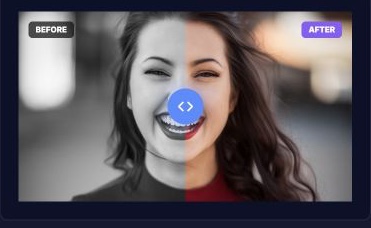
Photo Enhancer is an AI-assisted image improvement tool for business, product, event, and marketing photos. Members upload a JPG or PNG, choose an enhancement, compare the before-and-after preview, and download a polished result without opening a complex desktop editor or sending routine cleanup work outside the team.
- Upload a supported JPG or PNG.
- Apply an AI-assisted enhancement and compare the preview.
- Download the approved image from the member workspace.
Functional overview
What is Photo Enhancer, and what does it do?
Members upload an eligible image, choose the desired enhancement and submit a secure processing job. The service produces a visual preview before the improved file is downloaded for websites, campaigns, catalogs or event promotion.
- Upload a supported image
- Choose the enhancement objective
- Process the image securely
- Compare the result
- Download the approved asset
Operating model
How does Photo Enhancer work?
The interface keeps enhancement choices understandable while the processing service handles the intensive image work behind the scenes.
Upload securely
Start with a JPG or PNG and keep the source tied to the member workspace.
Apply enhancement
Use a guided preset to improve clarity, tone and presentation without a complex editor.
Review and export
Compare the result and download a polished version ready for the intended channel.
Business impact
What problems does Photo Enhancer solve?
Teams can improve routine visual assets without routing every image through a separate editing engagement.
Minutes
Faster turnaround
Move common enhancement work from a multi-step request process into a guided self-service flow.
Consistent
Stronger brand presentation
Apply repeatable enhancement choices across campaign and event imagery.
In-house
Lower routine editing cost
Reserve specialist design time for complex creative work instead of basic image cleanup.
Why teams choose it
Why do teams choose Photo Enhancer?
- Simple member-facing enhancement workflow
- Before-and-after review before download
- Useful for marketing, product and event imagery
- No heavyweight desktop editing application required
Must-haves
What do you need to start using Photo Enhancer?
- An active BrandNova membership
- A supported JPG or PNG source file
- Sufficient source resolution for the intended output
- Permission to process and publish the uploaded image
Built for real operations
Who is Photo Enhancer for?
The same guided workflow helps teams that publish frequently but do not need a full creative suite for every image.
Product marketing
Prepare cleaner catalog and promotional images for storefronts and campaigns.
Event promotion
Improve speaker, performer and venue imagery before publishing event materials.
Social campaigns
Turn approved source images into more polished assets for fast-moving content calendars.
Frequently asked questions